 Outdoor Case - [source code]
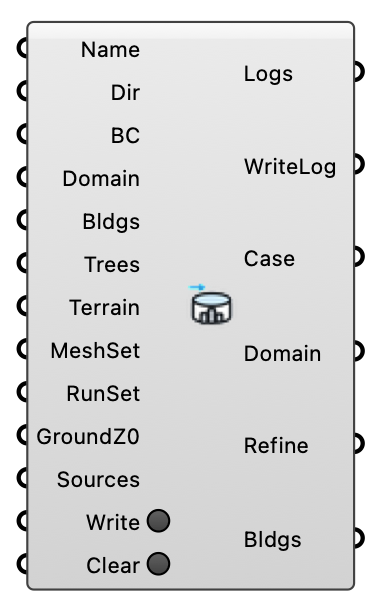
Create, write, and manage an Eddy3D outdoor wind simulation case.
Input
| Name | Nickname | Description | Type |
|---|---|---|---|
| Case Name | Name | Case folder name (no spaces). Optional — if left blank, a friendly random name is generated automatically (e.g. swift-otter-fjord-lantern). | Text |
| Working Directory | Dir | Folder for case files and results (default: %USERPROFILE%/Eddy3D/Outdoor). | Text |
| Boundary Conditions | BC | Boundary conditions from the ABL or Uniform Flow component, carrying the wind directions (required for Write Case). | Generic Data |
| Domain Parameters | Domain | Domain parameters from the Box Domain or Cylinder Domain component (box with auto extents when empty). | Generic Data |
| Buildings | Bldgs | Closed building meshes (required for Write Case). | Mesh |
| Trees | Tree canopy meshes or Tree porous-zone objects from the Tree component (optional). | Generic Data | |
| Terrain | Terrain mesh (optional). | Mesh | |
| Mesh Settings | MeshSet | Mesh settings from the Mesh Settings component. | Generic Data |
| Run Settings | RunSet | Run settings from the Run Settings component. | Generic Data |
| Ground Roughness | GroundZ0 | Ground roughness zones from the Ground Roughness or Land Cover Roughness component (optional). Each zone becomes its own ground patch with an explicit roughness length z0; floor area not covered by a zone keeps the global ABL roughness. | Generic Data |
| Sources | Pollutant emission sources from the Pollutant Source component (optional). Each becomes a cell zone in the mesh; every species becomes a passive concentration field (kg/m3) solved alongside the wind on all direction cases. Sources sharing a Species solve as one field. | Generic Data | |
| Write | Write the case files to the working directory. | Boolean | |
| Clear Case | Clear | Delete all files for this case in the working directory. | Boolean |
Output
| Name | Nickname | Description | Type |
|---|---|---|---|
| Logs | Case modification logs. | Text | |
| Write Logs | WriteLog | WriteCase logs formatted for component input. | Text |
| Case | Wind case; plug into the Wind Run and post-processing components. | Generic Data | |
| Domain | Resolved simulation domain (box, or domain mesh for cylindrical cases). | Generic Data | |
| Refinement Box | Refine | Refinement box derived from the case. | Brep |
| Buildings | Bldgs | Building meshes from the case. | Mesh |