 Refinement Region - [source code]
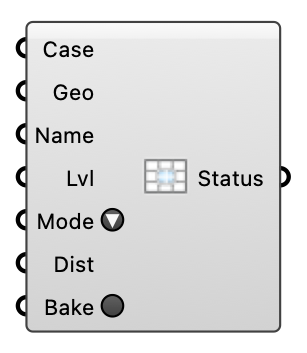
Add a custom snappyHexMesh refinement region (a box, solid or surface) to a written case's mesh. Refines the cells inside/near the geometry to the chosen level; re-run meshing separately afterward to apply it.
Input
| Name | Nickname | Description | Type |
|---|---|---|---|
| Case | The written wind case whose mesh should gain the refinement region. | Generic Data | |
| Geometry | Geo | The region geometry: a Box/closed Brep/Mesh (use mode inside/outside) or an open surface (use mode distance). Written as an STL into the mesh case. | Generic Data |
| Name | Region key (a valid OpenFOAM word, e.g. "towerWake"). | Text | |
| Level | Lvl | snappyHexMesh refinement level inside/near the region (e.g. 2). Default 2. | Integer |
| Mode | inside (refine the whole closed region), outside (refine everything outside it), or distance (refine within Distance metres of the surface). Default inside. | Text | |
| Distance | Dist | For distance mode: refinement band width in metres. Default 10. | Number |
| Bake | Write the region STL and snappyHexMeshDict entries into the mesh case (idempotent). Momentary button; re-run meshing afterward (a separate step) to apply the new region. | Boolean |
Output
| Name | Nickname | Description | Type |
|---|---|---|---|
| Status | What was baked, and into how many mesh cases. | Text |