 Outdoor+ Case - [source code]
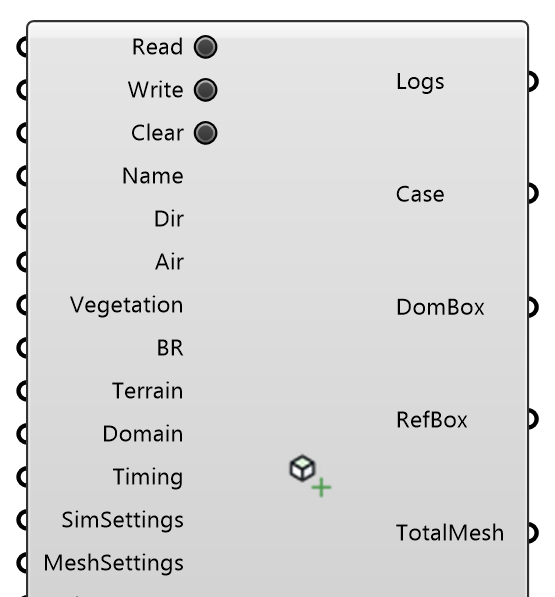
Create, read, and manage an Outdoor+ (UMF microclimate) case. Validated in: Rahimi et al. (2025), Building and Environment 285:113637, doi:10.1016/j.buildenv.2025.113637; Rahimi et al. (2024), IBPC 2024, https://www.researchgate.net/publication/384972164_Assessing_the_Complexity_Required_for_Enhancing_Eddy3D_Validation_of_urbanMicroclimateFoam_for_Urban_Heat_Island_Mitigation. OutdoorPlus
Input
| Name | Nickname | Description | Type |
|---|---|---|---|
| Read Case | Read | Read an existing case from the working directory. A case already written there is read on its own when the definition opens; press Read to read it again after changing inputs. | Boolean |
| Write | Write the case files to the working directory. | Boolean | |
| Clear Case | Clear | Delete all files for this case in the working directory. | Boolean |
| Case Name | Name | Case folder name (no spaces). Optional: defaults to OutdoorPlusCase. | Text |
| Working Directory | Dir | Folder for case files and results. | Text |
| Air Region | Air | Air region for this case. | Generic Data |
| Vegetation Region | Vegetation | Optional vegetation region. Leave disconnected for cases without trees or canopy. | Generic Data |
| Building Region | BR | Building region of this case. | Generic Data |
| Terrain Region | Terrain | Terrain region for this simulation. Optional: without one the case gets a flat default terrain extracted from the domain floor (0.1 m surface layer over 1.9 m of soil), so the ground still exchanges heat with the air. | Generic Data |
| Domain Parameters | Domain | Domain and refinement box parameters. | Number |
| Timing Settings | Timing | Case timing settings. | Generic Data |
| Simulation Settings | SimSettings | Simulation control settings. | Generic Data |
| Simulation Mesh Settings | MeshSettings | Simulation mesh settings. | Generic Data |
| View Factor Settings | ViewFactors | View factor settings. | Generic Data |
| Custom Entries | Custom | Optional additional entries to merge into the case. | Generic Data |
| Water Surface | Water | Optional coupled water surface from the Water Surface component. | Generic Data |
| Extras | Optional user additions from the Refinement Region and Custom Function Object components. Applied every time the case is written, so they survive a re-write. A refinement region goes into ALL THREE snappyHexMeshDicts (air, veg, terrain); a function object needs a Region, because urbanMicroclimateFoam scopes them per region. | Generic Data | |
| Engine | OpenFOAM execution environment stored on the case and used by Run, Probe, Streamlines, and other case operations. | Text | |
| Pedestrian Spacing | PedSpace | Spacing (m) of the pedestrian probe lattice the case writes for itself (2 m is the campaign lattice). Leave empty for none. The air region then samples U, T and w at every point each write, into postProcessing/air/pedestrianProbes: read it with Probe (Name pedestrianProbes, Region air, Points from Pedestrian Points). | Number |
| Pedestrian Height | PedHeight | Height (m) of the pedestrian probes above the terrain region, or above the domain floor where no terrain is. Default 1.75. | Number |
| Pedestrian Boundary | PedBound | Optional closed planar curve the pedestrian probes are clipped to (read in plan). Default: the refinement box. Points inside buildings are always removed. | Curve |
Output
| Name | Nickname | Description | Type |
|---|---|---|---|
| Logs | Case modification logs. | Text | |
| Case | UMF case instance. | Generic Data | |
| Domain Box | DomBox | Resolved simulation domain box. | Box |
| Refinement Box | RefBox | Refinement box derived from the case. | Box |
| Total Mesh | TotalMesh | Total mesh for the case. | Mesh |
| Building | Building mesh. | Mesh | |
| Pedestrian Points | PedPts | The pedestrian probes the case writes, in the order the results list them. Empty unless Pedestrian Spacing is set. | Point |
| Terrain | Terrain surface the case uses: the wired Terrain Region's, or the domain floor when none is wired. The terrain solid lies BELOW it, so probe the terrain region on or under this mesh. | Mesh |