 FluidX3D Live View - [source code]
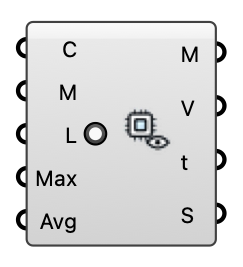
Watch a FluidX3D wind solve live in the viewport: colors an analysis mesh with the velocity magnitude of the newest exported frame while the GPU solver runs, updating as each frame lands. Also shows the final field of a completed run. Wire either the Run component's Case or Folder output into Case, and supply the mesh to read the wind on (e.g. a pedestrian-level plane).
Input
| Name | Nickname | Description | Type |
|---|---|---|---|
| Case | C | FluidX3D run — accepts either the Run component's Case (VTK) or Folder output. | Text |
| Mesh | M | Analysis mesh to color, sampled at its vertices (e.g. a pedestrian-level plane at 1.5-2 m). | Mesh |
| Live | L | Keep watching the case for new frames and repaint as they land. | Boolean |
| Max Speed | Max | Top of the color scale in m/s. 0 = auto: grows with the largest speed seen this session, so colors stay comparable across frames instead of rescaling on every export. | Number |
| Avg Window | Avg | Trailing time-average window in simulated seconds. 0 = show the newest frame as-is (instantaneous LES fields look gusty/patchy by nature); > 0 = average all exported frames within the last N simulated seconds, which converges toward the mean field the other engines report. Updates live as new frames land either way. | Number |
Output
| Name | Nickname | Description | Type |
|---|---|---|---|
| Mesh | M | The analysis mesh, vertex-colored by velocity magnitude (bake to keep the colors). | Mesh |
| Speeds | V | Velocity magnitude per mesh vertex, m/s (aligned with the mesh's vertex order). | Number |
| Time | t | Physical time of the displayed frame, in simulated seconds. | Number |
| Status | S | Frame / watcher status. | Text |