 Airflow Network Cp - [source code]
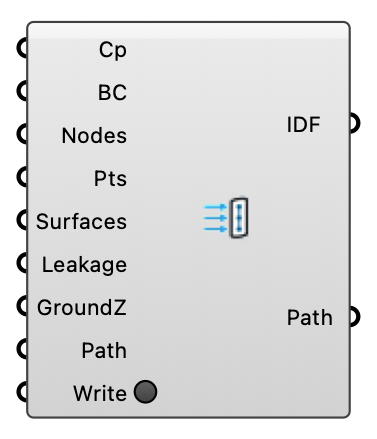
Export probed facade pressure coefficients into the EnergyPlus AirflowNetwork as an .idf snippet: WindPressureCoefficientArray (the simulated directions), per-node WindPressureCoefficientValues and ExternalNode objects, ready to paste/merge into a Ladybug Tools (or hand-built) AirflowNetwork model. Enable Pressure Coefficient in Run Settings, probe the Cp field at facade points, and wire the probe tree here. Method: Dogan & Kastner (2021), Building Simulation 14(4):1189-1200, doi:10.1007/s12273-020-0727-x; Dogan & Kastner (2018), IBPC 2018, Syracuse NY 1139-1144, doi:10.14305/ibpc.2018.ms-5.05.
Input
| Name | Nickname | Description | Type |
|---|---|---|---|
| Cp Values | Cp | DataTree {direction}[probe] of Cp values from the Probe component (field "Cp", latest time) — one branch per simulated wind direction, matched to the Boundary Conditions' direction list by index. | Generic Data |
| Boundary Conditions | BC | OutdoorBoundaryConditions from the ABL or Uniform Flow component — the same one the wind study was built from, so directions align with the Cp branches. | Generic Data |
| Node Names | Nodes | External node name per probe point (the name the EnergyPlus model's surfaces reference). Optional; defaults to Node_00, Node_01, … | Text |
| Points | Pts | The probed facade points. Optional — only the Z coordinate is used, as each external node's height above ground. | Point |
| Surface Names | Surfaces | EnergyPlus surface name per probe point (the AirflowNetwork:MultiZone:Surface each node serves). Optional; with Leakage Component it completes full Surface objects, alone it fills in the commented mapping block. | Text |
| Leakage Component | Leakage | Name of the model's leakage component (e.g. an AirflowNetwork:MultiZone:Surface:Crack). Optional — only the recipient EnergyPlus model knows it; when wired together with Surface Names, full AirflowNetwork:MultiZone:Surface objects are emitted instead of a commented mapping. | Text |
| Ground Z | GroundZ | Model Z of the ground plane (m). Subtracted from each point's Z so the external node heights are ABOVE GROUND — what EnergyPlus uses for the wind profile at the node. Leave 0 when the model's ground sits at Z = 0. | Number |
| File Path | Path | Optional .idf file path to write the snippet to. The folder must exist. | Text |
| Write | Write the snippet to the path above. | Boolean |
Output
| Name | Nickname | Description | Type |
|---|---|---|---|
| IDF | The AirflowNetwork snippet as IDF text — paste/merge into the EnergyPlus model. | Text | |
| Path | Where the report is written — the resolved target, shown before Write is used so the default location is never a surprise. | Text |