 FluidX3D Run Settings - [source code]
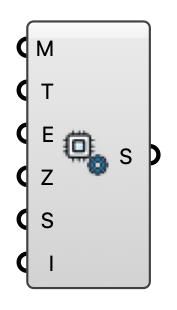
Solver controls for the FluidX3D GPU engine (memory, simulated time, export interval, an interactive real-time window, and an optional fixed lattice spacing). Memory 0 = detected from this machine's GPU.
Input
| Name | Nickname | Description | Type |
|---|---|---|---|
| Memory | M | GPU memory budget (MB), or 0 for auto. Auto detects this machine's GPU memory and takes 75% of a discrete card's VRAM / 30% of unified memory (Apple Silicon, integrated), and says so in a Remark. With Grid Spacing set this is only a cap; with Grid Spacing 0 it SIZES the lattice, so a big auto budget means a big, slow run. | Integer |
| Sim Time | T | Physical simulated time (s). | Number |
| Export Interval | E | VTK export interval (s, simulated time). | Number |
| Ground Z | Z | Ground plane Z (model units). | Number |
| Source Dir | S | Optional override for the FluidX3D source folder. Leave empty to use the default install path. | Text |
| Interactive | I | Open FluidX3D's native real-time GPU window (live render, on-the-fly camera + mode keys) while continuing periodic VTK export for Eddy3D Live View and probes. Windows: full support; macOS: requires XQuartz (X11). | Boolean |
| Grid Spacing | dx | Lattice spacing in meters, or 0 for auto. Auto lets FluidX3D size the lattice to the Memory budget (the spacing is whatever the domain happens to get). A value fixes the discretization: ceil(L/dx) cells per axis, Memory becomes a check. Cell count grows with 1/dx^3 — halving dx costs 8x VRAM and ~16x time. | Number |
Output
| Name | Nickname | Description | Type |
|---|---|---|---|
| Settings | S | FluidX3D run settings. | Generic Data |