 Mesh Settings - [source code]
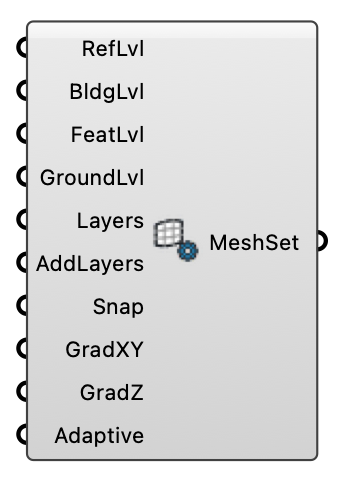
Configure mesh refinement, layers, and grading for Eddy3D.
Input
| Name | Nickname | Description | Type |
|---|---|---|---|
| Refinement Box Level | RefLvl | Refinement level inside the refinement box (higher is finer). Optional; default is 2. | Integer |
| Building Surface Level | BldgLvl | Refinement level for building surfaces. Optional; default is 2. | Integer |
| Building Feature Level | FeatLvl | Refinement level for building edges and corners. Optional; default is 2. | Integer |
| Ground Surface Level | GroundLvl | Refinement level for ground/terrain surfaces. Optional; default is 2. | Integer |
| Layer Count | Layers | Number of prism layers to add. Optional; default is 4. | Integer |
| Add Layers | AddLayers | Enable prism layer addition. Optional; default is false. | Boolean |
| Snap | Snap the castellated mesh to the input geometry surfaces. Default is true (snapping on). | Boolean | |
| Grading Strength (Horizontal) | GradXY | Adaptive grading strength in X/Y: 1 = uniform, up to 10 = cells concentrate hard over the building and coarsen toward the domain edges. | Number |
| Grading Strength (Vertical) | GradZ | Adaptive grading strength in Z: 1 = uniform, up to 10 = cells concentrate over the building height and coarsen aloft. | Number |
| Adaptive Grading | Adaptive | Enable adaptive grading near buildings. Optional; default is true. | Boolean |
Output
| Name | Nickname | Description | Type |
|---|---|---|---|
| Mesh Settings | MeshSet | Mesh settings for snappyHexMesh and blockMesh. | Generic Data |