 Open In ParaView - [source code]
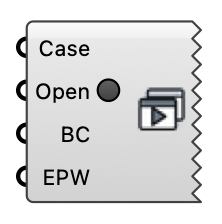
Open a wind case's direction cases in ParaView. All directions are added to the ParaView pipeline browser; click Apply on the ones you want to load (nothing is loaded automatically).
Input
| Name | Nickname | Description | Type |
|---|---|---|---|
| Case | Wind case (from the wind case component or Load Wind Case), indoor or UMF case — or a FluidX3D / LBM case path (the respective Run component's Case output). | Generic Data | |
| Boundary Conditions | BC | ABL or Uniform Flow boundary conditions (provides simulated directions, reference speeds, z0, zRef). Required for comfort analysis. | Generic Data |
| EPW Path | EPW | Path to an EPW weather file. When provided together with BC, the ParaView script computes pedestrian wind comfort at 1.5 m. | Text |
| Open | Set to true to launch ParaView with all direction cases. | Boolean |
Output
None