 Terrain Region - [source code]
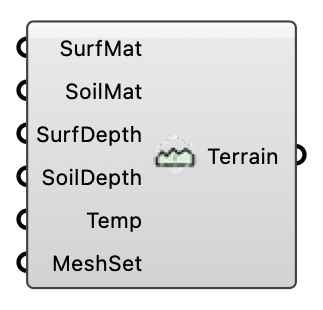
Create a terrain region with materials and depth settings. OutdoorPlus
Input
| Name | Nickname | Description | Type |
|---|---|---|---|
| Surface Material | SurfMat | Material settings for the surface layer. One material applies to every Geometry piece; one per piece (same order, branches flattened) gives each piece its own material zone. | Generic Data |
| Soil Material | SoilMat | Material settings for the soil layer. | Generic Data |
| Surface Depth | SurfDepth | Surface layer depth. Optional; default is 0.1. | Number |
| Soil Depth | SoilDepth | Soil layer depth. Optional; default is 1.9. | Number |
| Terrain Temperature | Temp | Initial terrain temperature (deg C). Optional; default is 25. | Number |
| Mesh Settings | MeshSet | Optional meshing settings for the terrain region. | Generic Data |
| Geometry | Geo | Terrain surface as one or several Rhino meshes (branches are flattened). Several pieces are stitched into one terrain surface; with one Surface Material per piece each piece becomes its own material zone. Must cover the whole domain floor. If empty, a flat terrain is generated. | Mesh |
| Water Body | Water | Optional pond/basin footprint (a Box). Cells of the terrain surface layer inside it become an always-saturated open-water material zone: the solver's existing coupled moisture boundary then evaporates from it at the potential rate. Keep it shallow — it is clipped to the surface layer. | Box |
Output
| Name | Nickname | Description | Type |
|---|---|---|---|
| Terrain Region | Terrain | Terrain region object for the case. | Generic Data |